

Teams
Teams
Manage your baseball teams efficiently with CoachBall. From team composition to season planning, everything you need to lead your teams to success.
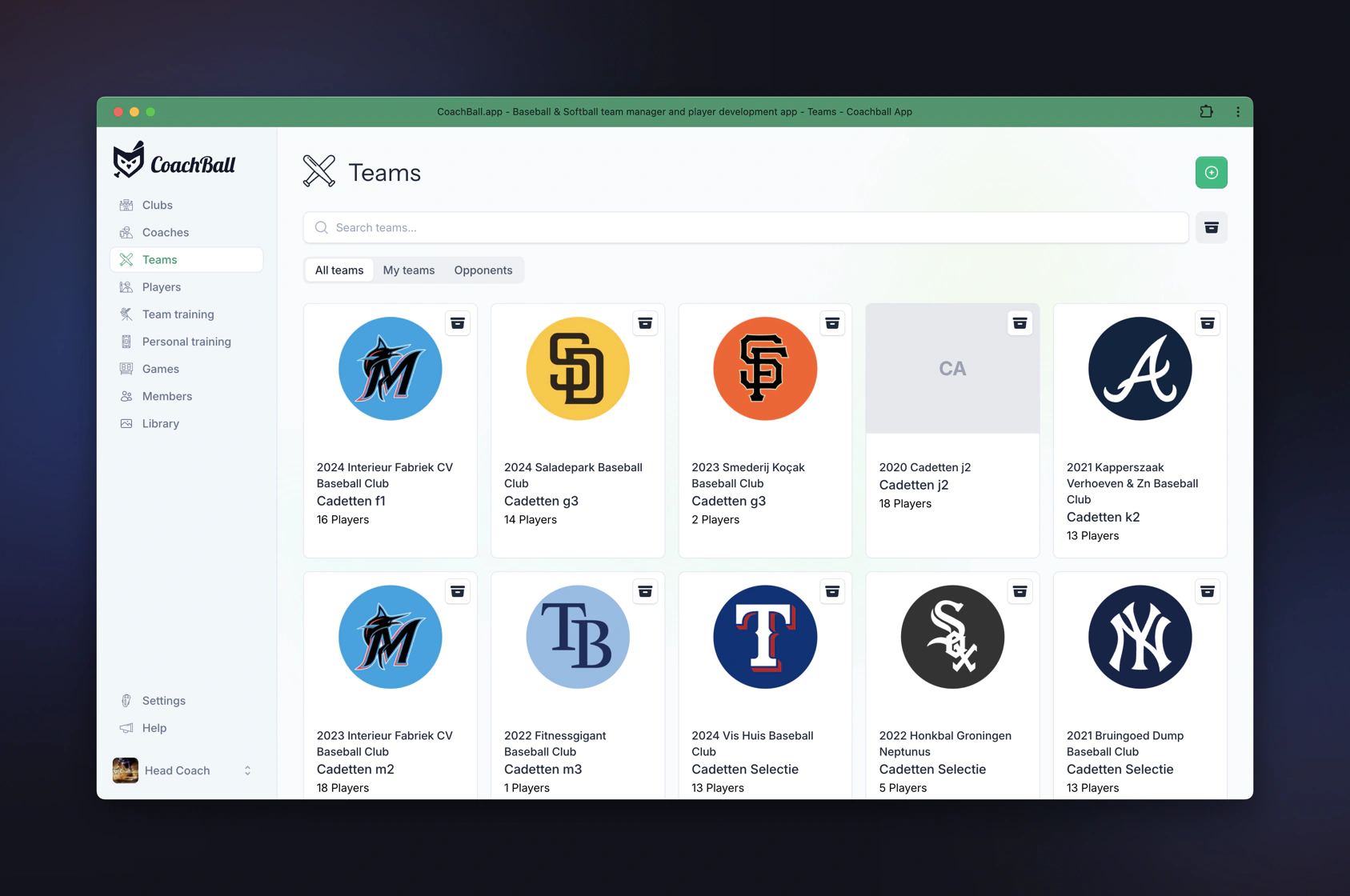
The team management dashboard gives you quick insight into all your teams. Here you can find all teams that you or your fellow coaches have added. In this overview you can archive teams and search for them. You can also distinguish between teams that you coach yourself or opponent teams. You can also monitor opponents with CoachBall. Especially useful if you use the iScore integration module!
Team Overview Page
Each team has its own overview page where you can find all important information and features. Click on a team in the teams dashboard to go to the team overview.
Team Overview Features
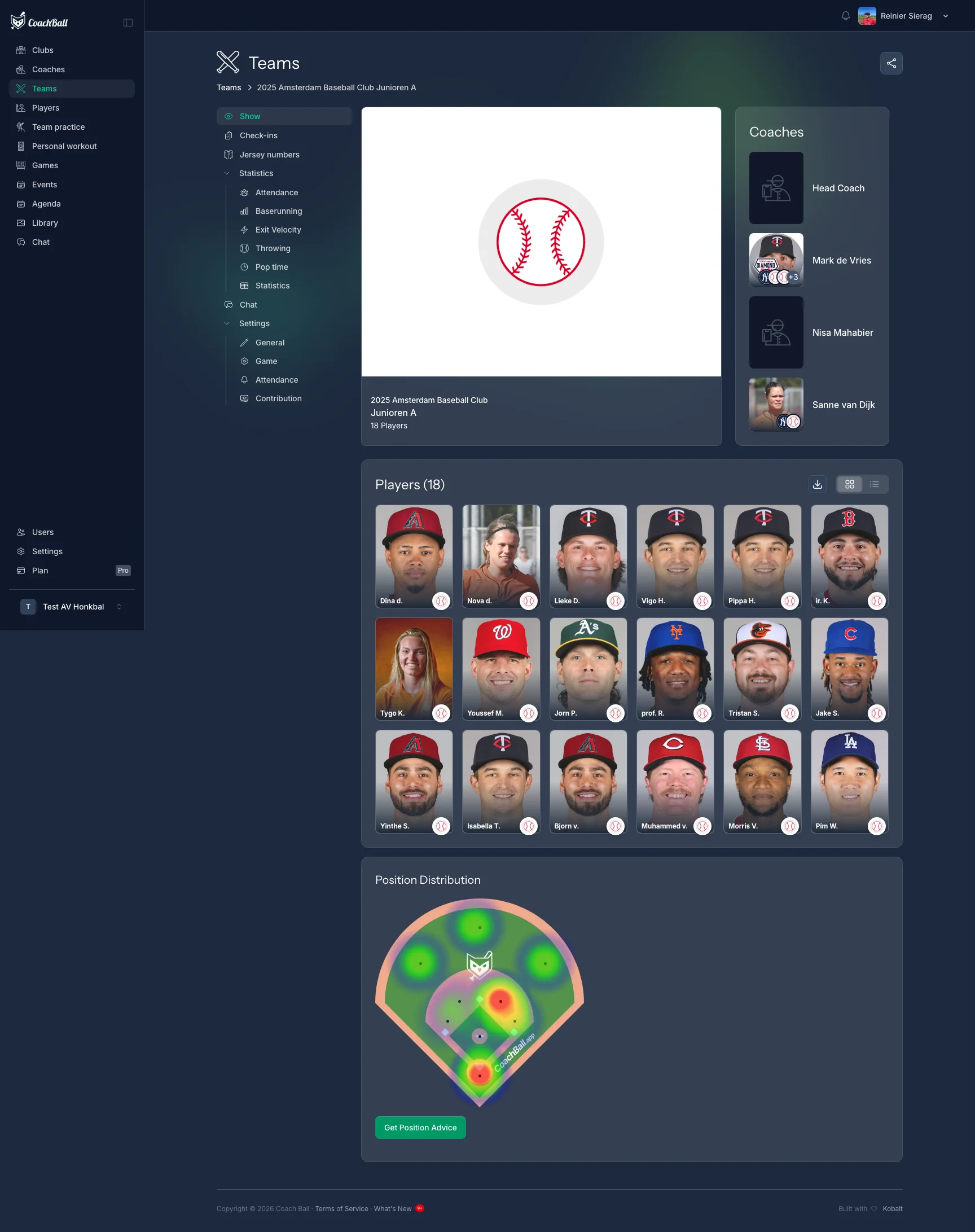
On the team overview page you will find a complete overview of your team with all important information and actions in one place.
Team Information
At the top of the page you see the team information card with all basic details of the team, such as team name, club, year, and other important details.
Players Section
In the players section you see all players of the team. You can switch between a grid view (cards) and a list view (table). In the list view you also see additional information such as jersey numbers and positions.
Position Distribution
For your own teams you see a visual position distribution on a baseball field. This heatmap shows how many players there are per position. You can also use the AI position advice function that helps you determine the best positions for your players.
Team Navigation
Via the navigation on the side you can go to different sections: edit team, manage jersey numbers, configure game settings, view check-ins dashboard, baserunning statistics, exit velocity statistics, attendance statistics, and for teams with a year plan also view strategy and planning.
Team Management
Manage your baseball teams efficiently with comprehensive team management tools.
Create Team
Create a new team and configure the basic settings.
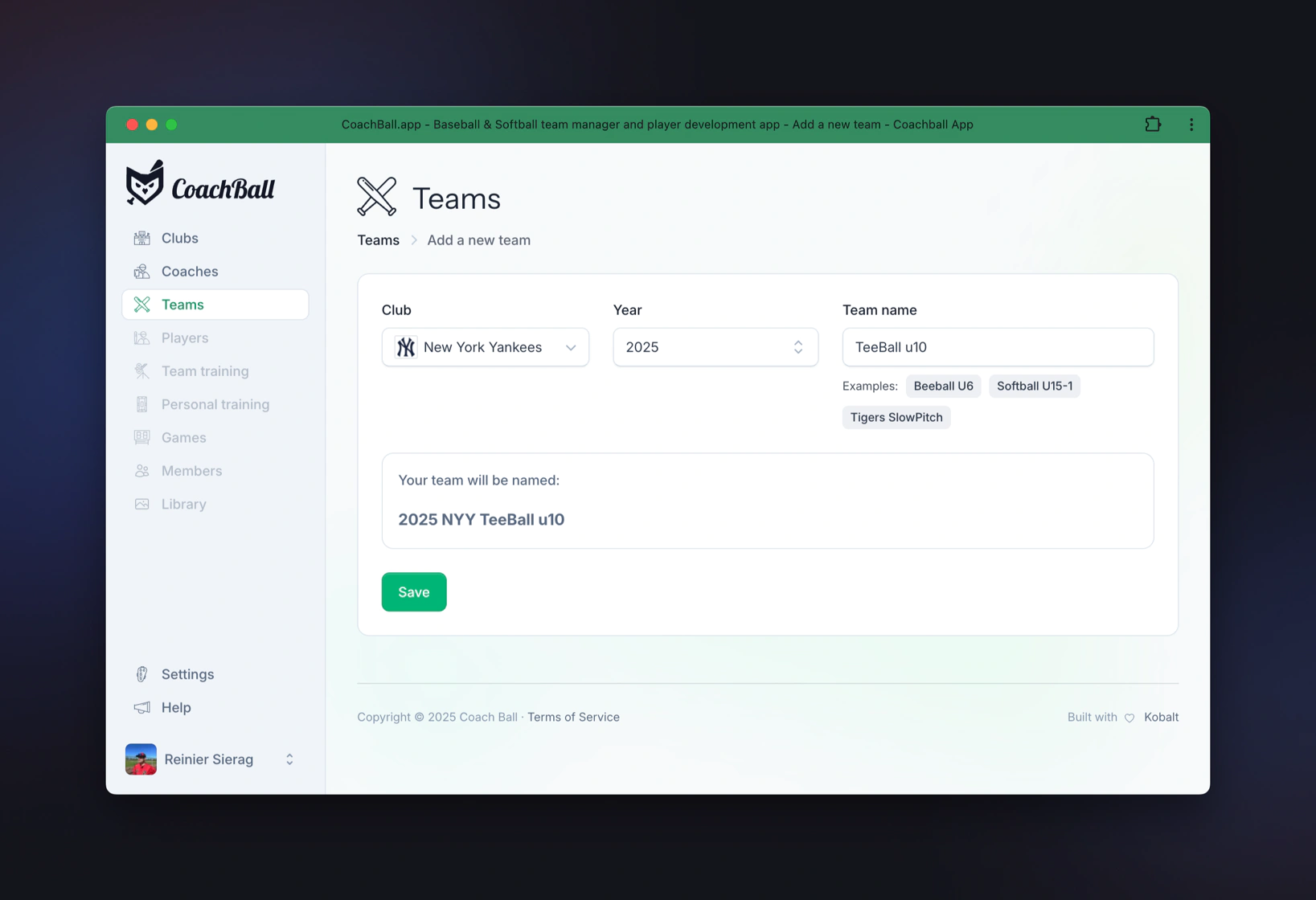
When creating a team, first select a club from the dropdown. Then choose a season year - this year is used to distinguish between the current season, future seasons, and teams from the past. This allows you to see in the player overview which teams players have been part of in the past. The year is automatically added to the team name (e.g., "2024 HCAW Juniors A"). Finally, choose a team name that is easy to remember and clearly distinguishable from other teams within the same club.
Edit Team
Adjust your team's settings as needed.
Delete Team
Remove a team that is no longer active.
Player Management
Keep track of all your players and their development throughout the season.
Add Players
Add new players to your team and fill in their basic information.
Adding players is fast — you can immediately move on to creating games and practices. To get more value from CoachBall, enrich player profiles with positions, contact details, and other data.
Assign Positions
Assign primary and secondary positions to your players.
Assign player positions in your team
Jersey Management
Manage the jersey numbers of your team members
Overview of jersey number assignments
Game Settings
Configure default game settings including innings, rotation strategies, and position management for consistent lineup creation.
Set up default game parameters for your team