
TeamSnap Alternative for Baseball & Softball
Team management built for baseball and softball, from RSVP to a printed lineup.
CoachBall covers scheduling, availability and team communication. It adds lineup and batting order PDFs, statistics, scouting profiles and AI coaching, built for baseball and softball.
Free plan. No credit card required.

CoachBall in numbers
- 16,000+
- pitches tracked
- 860+
- innings pitched
- 1,900+
- players
- 160+
- lineups made
- 14
- countries
Counted from the CoachBall database, updated November 15, 2026
TeamSnap Is Great for Basics. Baseball Needs More.
If you're juggling spreadsheets for lineups, batting orders, and stats — you're working too hard.
TeamSnap lineups are on the Premium and Ultra plans, in the mobile app only, and cannot be printed
No scouting or recruiting profiles for players
Built for more than 200 activities, not specifically for baseball and softball
Feature
Compare TeamSnap and CoachBall by workflow: team operations, game day, and player development.
| Feature | TeamSnap | CoachBall |
|---|---|---|
| Game & practice scheduling | Yes | Yes |
| Availability & RSVP tracking | Yes | Yes |
| Team communication & announcements | Yes | Yes |
| Fee & payment tracking | Yes | Yes |
| Lineups and batting order (TeamSnap: Premium and Ultra plans) | Yes | Yes |
| Print the lineup or export it as a PDF | No | Yes |
| Scouting & recruiting profiles | No | Yes |
| AI swing & pitch analysis | No | Yes |
| Player benchmarks & development | No | Yes |
| Baseball/softball-specific rules | No | Yes |
Choose by workflow
TeamSnap features checked on 29 October 2026 against the public pages of TeamSnap. Sources:

Switch without friction
Start free, set up your team operations, and activate lineups and scouting profiles in one workflow.
Switch in 3 Simple Steps
Moving from TeamSnap to CoachBall is straightforward. Your families will thank you.
Import your roster from an Excel or CSV file, or invite parents to join with a link.
Add your games and practices. Families can subscribe to the team calendar.
Start using lineup tools, stats, and scouting profiles. No more spreadsheets.
Pick the plan for your stage
Start free and scale when you need deeper analytics or multi-team operations.
Start
Free team setup
For coaches moving from TeamSnap-style basics to a baseball-first workflow.
- Scheduling, availability, and communication
- Lineup generator and batting order PDF
- No credit card required to start
Grow
Performance & insights
For teams accelerating player development and data-driven coaching.
- AI analysis and trend insights
- Advanced scouting and recruiting profiles
- More control over player development
Club
Multi-team operations
For organizations running multiple coaches, teams, and processes.
- Scalable structure for staff and teams
- Implementation support
- Custom agreements on request
Inside CoachBall
See CoachBall in action
Real screenshots from the app. Everything you need to manage your team, plan practices, and develop players — all in one place.

Schedule games and track results

Keep track of every player on your roster
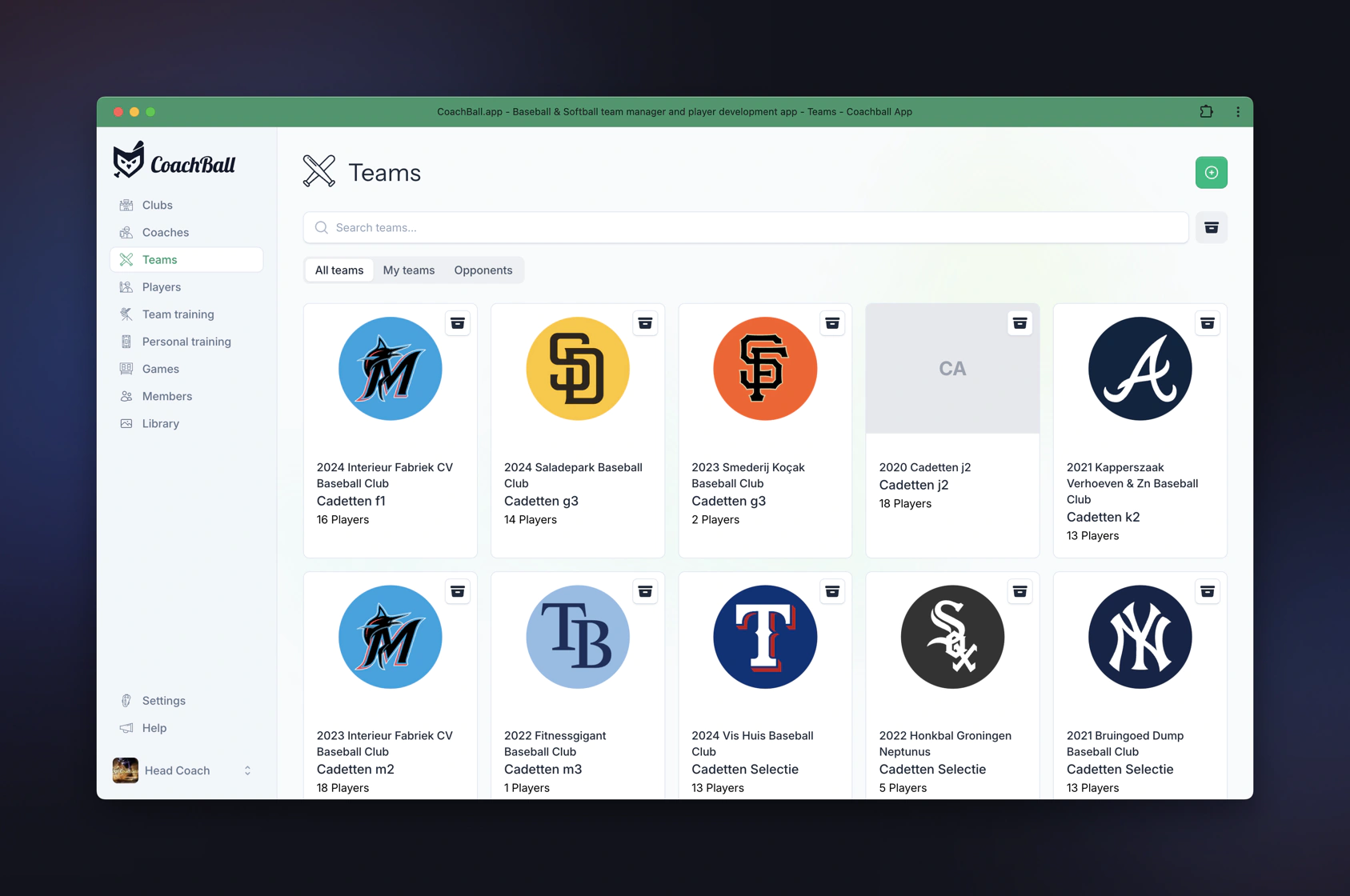
Manage all your teams in one dashboard
Works on every device
Manage your team on the go
CoachBall works beautifully on your phone. Take attendance, check lineups, and stay connected — wherever you are.

Schedule games and track results

Keep track of every player on your roster

Manage all your teams in one dashboard
Frequently Asked Questions
There is no direct link with TeamSnap. Put your roster in a spreadsheet and import it in CoachBall as an Excel or CSV file, or invite parents to join with a link. Then add your games and practices.
Yes. CoachBall includes availability tracking, RSVPs for games and practices, and team communication — all the core features you expect from a team management app.
CoachBall adds lineup and batting order PDFs you can print, statistics, scouting and recruiting profiles, AI swing and pitch analysis and baseball and softball rules. TeamSnap has lineups on its Premium and Ultra plans, but they cannot be printed from the app.
CoachBall offers a free tier for core team management. Premium features like AI analysis and advanced scouting are available on paid plans. Many coaches find the baseball-specific tools justify the upgrade.
Parents get a familiar experience: schedule, availability, messages, and roster. CoachBall is intuitive — most families adapt within a few days.
Yes. CoachBall includes fee tracking, payment history, and optional reminders. You control what families see.
Absolutely. CoachBall supports both baseball and softball with sport-specific lineup tools, stats, and AI coaching features.
Create your CoachBall team, add your schedule and roster, then invite parents via email. Most coaches run both apps for a week or two during the transition, then switch fully.
Ready to Switch from TeamSnap?
Start on the free plan with scheduling, availability and team chat, plus lineup PDFs, statistics and scouting profiles. No credit card required.
Explore more coaching solutions
Find the right tools for your league, division, and coaching style.
Scouting Profiles
One shareable link with stats, video, benchmarks and academics.
Learn moreLittle League Coaching App
CoachBall gives volunteer baseball and softball coaches one place to manage rosters, communicate with parents, plan practices, and develop players — powered by AI.
Learn moreLittle League USA
Whether you coach T-Ball or Senior League, CoachBall gives you one place to manage rosters, track development, communicate with parents, and get AI-powered coaching insights.
Learn more