

Chat
Chat
Stay connected with your team through real-time messaging. Chat provides channels for team communication, with support for attachments, reactions, and more.
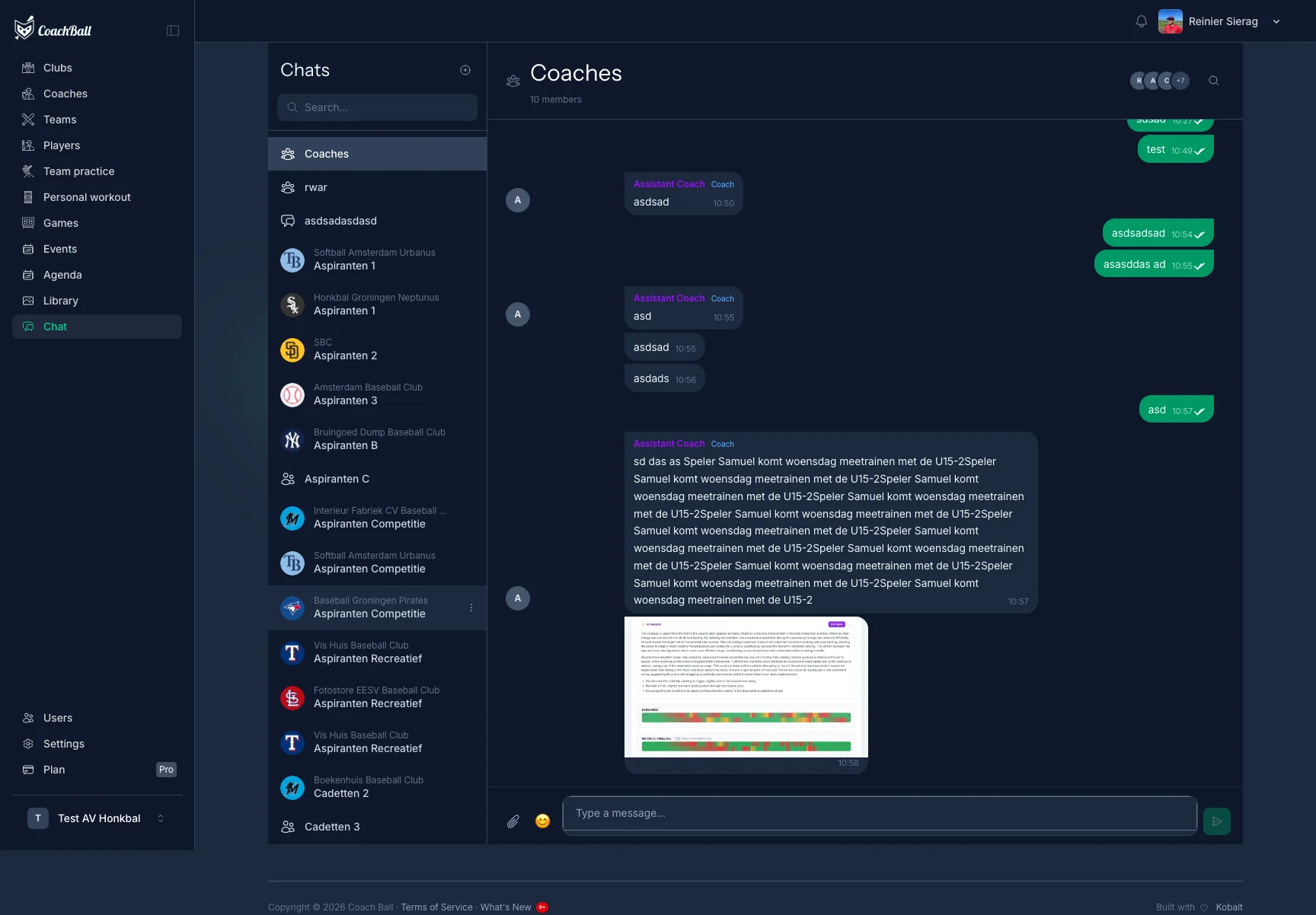
The chat interface with channels and messages
Channels
Chat is organized into channels. Each team automatically gets a general channel and a coaches-only channel. You can also create custom channels for specific groups.
General Channel
Public channel for all team members. Created automatically when chat is first used.
Coaches Channel
Private channel visible only to coaches and admins. Perfect for strategy discussions.
Custom Channels
Create channels for specific groups like players, parents, or announcements.
Messaging
Sending Messages
Type your message and press enter to send. Messages appear instantly for all channel members.
Attachments
Attach images, PDFs, documents, and videos to your messages. Up to 10 files per message, with a maximum size of 20MB each.
Replies
Quote and reply to specific messages to keep conversations organized and easy to follow.
Reactions
Add emoji reactions to messages. See who reacted with which emoji.
Real-time Features
Chat uses WebSocket technology for instant communication without page refreshes.
Typing Indicator
See when other team members are typing a message.
Read Receipts
Double checkmarks indicate when your message has been read.
Unread Count
See how many unread messages are in each channel at a glance.
Search & Pin
Search Messages
Search through all messages in a channel to quickly find what you're looking for.
Pinned Messages
Coaches and admins can pin important messages so they're always easy to find.
Permissions
Coaches and workspace owners can create and manage channels, add or remove members, and moderate messages. Regular members can send messages and react in channels they have access to.