
Player Scouting Profiles
The Link That College Coaches Actually Open
One shareable link with stats, video, benchmarks and academics. No login required to view. Time-limited scout links show how often your link was opened and when.
Free plan: profile, PDF and unlimited scout links · No credit card · Private until you choose to share
Players
Stand out with a complete profile that showcases your skills, stats, and potential.
Parents
Help your child get noticed by building a shareable recruiting profile.
Coaches & Scouts
Evaluate players with verified stats, video, and structured data — all in one place.
Everything a Scout Needs to See
A comprehensive profile that gives coaches and recruiters a complete picture of every player.
Player Profile
Photo, positions, physical measurements, throwing & batting hand, nationality, and club affiliation.
Key Metrics
Pitch velocity, exit velocity, sprint times — all with measurement date and device provenance.
Video Showcase
Highlights, skills, and game clips from YouTube, Vimeo, or direct uploads with chapter markers.
Game Statistics
Batting average, fielding percentage, ERA and more — aggregated across seasons.
Academics
School, GPA, SAT/ACT scores, graduation year, and intended major for college recruiting.
Events & Awards
Showcases, tournaments, camps, and awards — with results and achievements.
Share with Anyone, Anywhere
Send your scouting profile to college coaches, scouts, or recruiters using any channel. No account needed to view.
- Shareable public link — viewable without an account
- One-click sharing via WhatsApp, email, and social media
- Branded PDF export for print or offline review
- Time-limited scout links with a view counter
Ready in 3 Steps
Building a professional scouting profile takes just minutes.
Create Profile
Add the player's photo, positions, physical details, and club info. Our guided setup walks you through it.
Add Performance Data
Record metrics, upload video, enter stats, and add academic info. Track completeness with our built-in checklist.
Share & Get Noticed
Share the profile via link, social media or PDF. Generate time-limited scout links that count their views.
Inside CoachBall
See CoachBall in action
Real screenshots from the app. Everything you need to manage your team, plan practices, and develop players — all in one place.

Complete player roster management
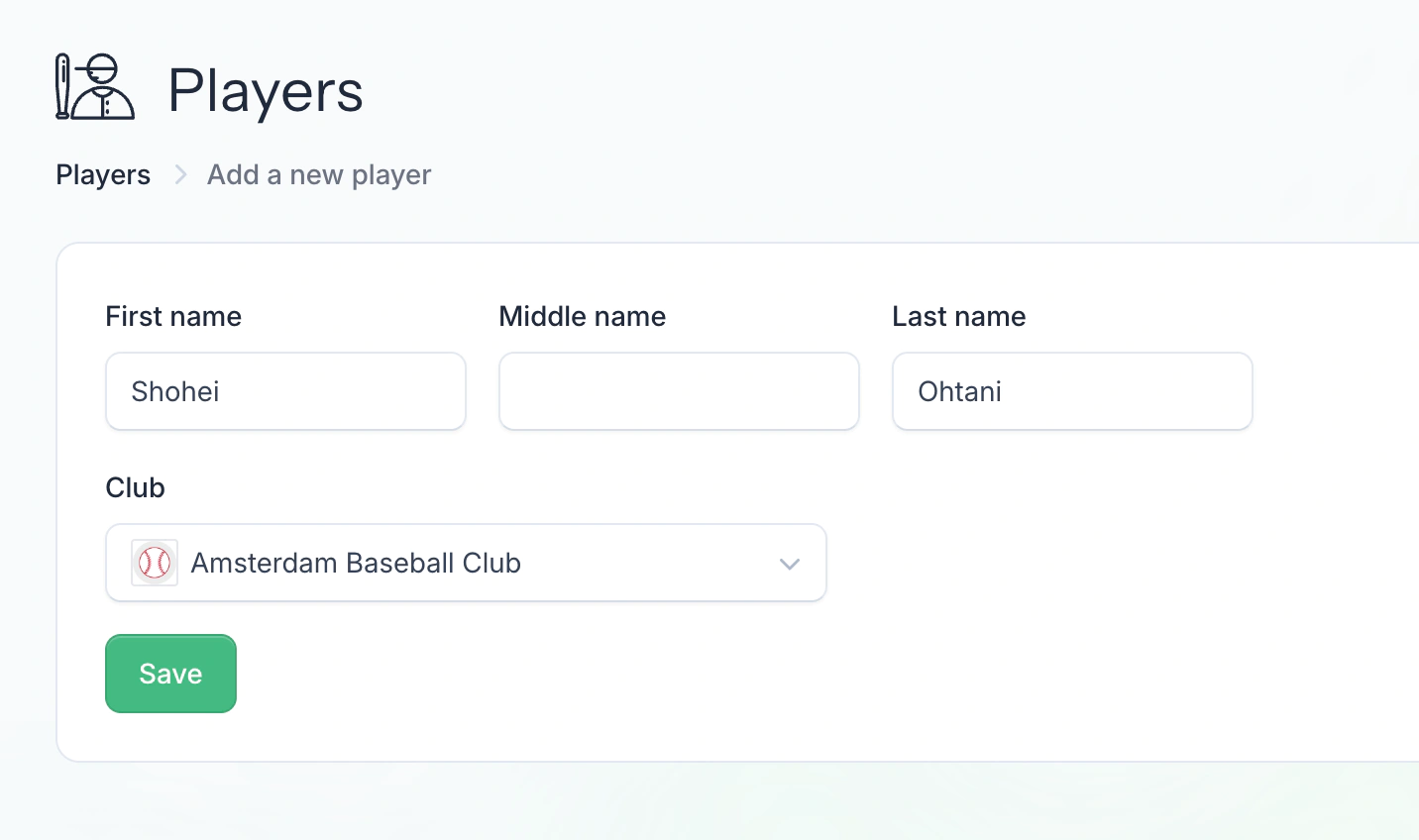
Guided player setup with all key details

Upload and organize player media
Works on every device
Manage your team on the go
CoachBall works beautifully on your phone. Take attendance, check lineups, and stay connected — wherever you are.

Complete player roster management

Stats, video and academics in one profile

Ready to share with college coaches
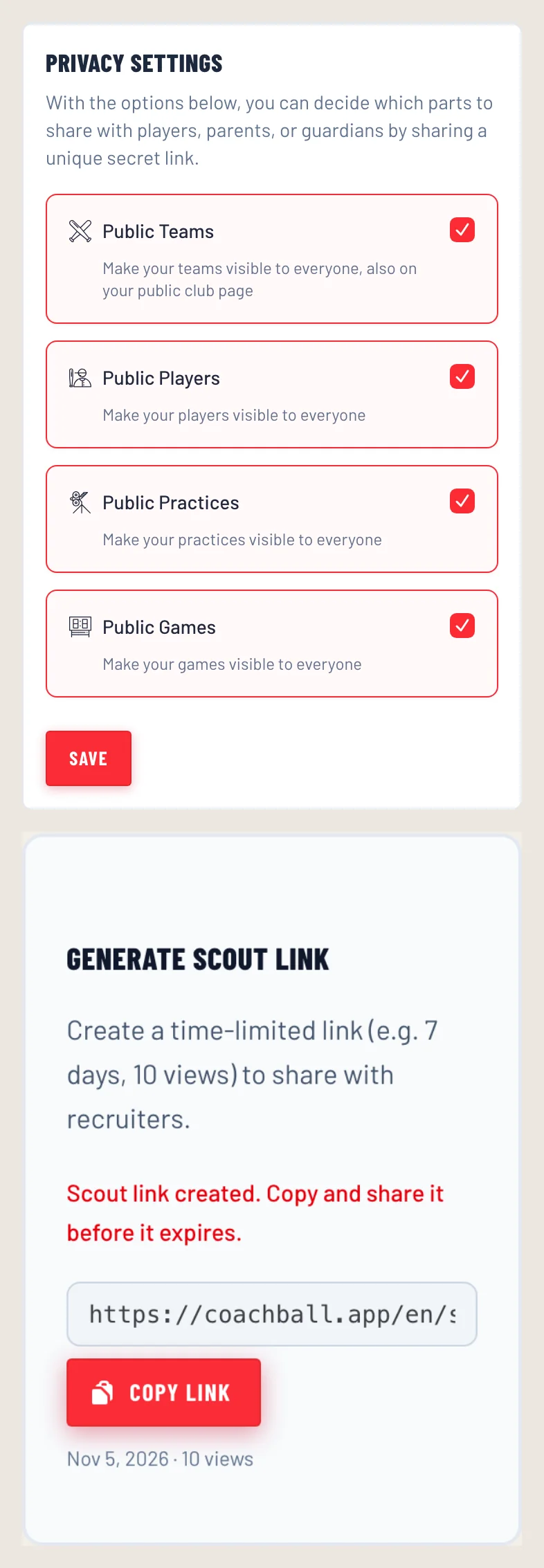
Choose what is visible and create a scout link
Built for Recruiting Success
Advanced features that give players and coaches an edge in the recruiting process.
Branded PDF Export
Download a professionally designed PDF with all profile data, CoachBall branded, perfect for coaches who prefer paper.
Time-Limited Scout Links
Generate links that expire after a set number of days or views. See how many times each link was opened and when it was last opened.
Privacy first
Privacy-safe name display, workspace-level sharing controls, and video visibility tiers for full privacy control.
Profile Completeness
A 13-item checklist with visual progress bar shows exactly what to add to make the profile stand out.
8 Languages
Profiles are available in English, Dutch, German, Spanish, French, Italian, Japanese, and Korean.
Scout Search
Search and filter players by sport, position, metrics, grad year, and more with 13 faceted filters.
Privacy for Young Players
What happens to the profile of a minor, and who decides.
- What is private by default?
- Everything. A profile is only visible outside your club after a workspace admin turns on public player profiles in the settings.
- What can be public?
- Once sharing is on, the profile shows what you filled in: positions, measurements, stats, video, events and, if added, school and academics. A player under 16, or without a birth date, appears by first name only unless a parent or guardian consents to the full name.
- Who controls it?
- Workspace admins decide whether profiles can be shared at all. Parents and guardians give or withdraw consent for the full name. Every scout link expires after the days and views you set.
- How do I take a profile offline?
- Turn off public player profiles in the workspace settings and every profile and scout link stops working right away. Deleting the player removes the profile.
The Profile That Moves Recruiting Conversations Forward
Create the profile before the next showcase and share it with one link.
Frequently Asked Questions
Yes. The profile, the PDF export, scout search and scout links are part of the free plan, with no limit on the number of scout links. The free plan's limits on players and storage still apply.
Absolutely. Public profiles and scout links are viewable by anyone with the link — no account or login required.
You can embed videos from YouTube and Vimeo, or upload videos directly. Each video can have chapter markers for easy navigation.
You set an expiry (1–90 days) and a maximum number of views (1–100). The link stops working as soon as either limit is reached. For every link you see how many times it was opened and when it was last opened. Viewers stay anonymous: you do not see who opened it.
Profiles are only public when a workspace admin turns on public player profiles. A player under 16, or without a birth date, is shown by first name only unless a parent or guardian consents to showing the full name on the profile.
Yes. Every scouting profile can be downloaded as a professionally branded PDF, including all stats, academics, events, and a link to the online profile for video content.
Build a Recruiting Profile That Stands Out
Create a professional, shareable player profile in minutes and give college coaches the data they need to act.
Free plan: profile, PDF and unlimited scout links · No credit card · Private until you choose to share
Explore more coaching solutions
Find the right tools for your league, division, and coaching style.
Little League Coaching App
CoachBall gives volunteer baseball and softball coaches one place to manage rosters, communicate with parents, plan practices, and develop players — powered by AI.
Learn moreLittle League USA
Whether you coach T-Ball or Senior League, CoachBall gives you one place to manage rosters, track development, communicate with parents, and get AI-powered coaching insights.
Learn moreLittle League Texas
From fall ball in September to all-stars in July, CoachBall helps Texas coaches manage year-round baseball with smart scheduling, AI player development, and effortless parent communication.
Learn more